Free · Now on 5 Platforms

Your home library,
beautifully organised.

Scan books, track your reading, share your wishlist - completely free, with zero data collected.
Independently made by K2 Labs, and now available on iPhone, iPad, Mac, Apple Vision, and Android.

Free
Always
Offline
Works anywhere
50–5k
Books supported
0
Data collected
5
Platforms supported
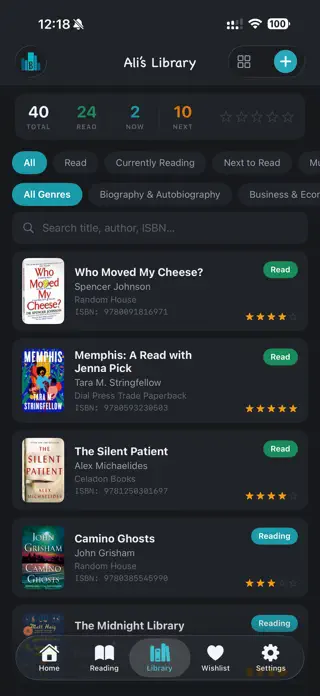
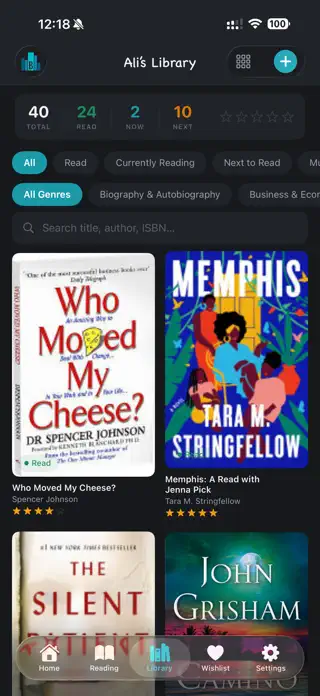
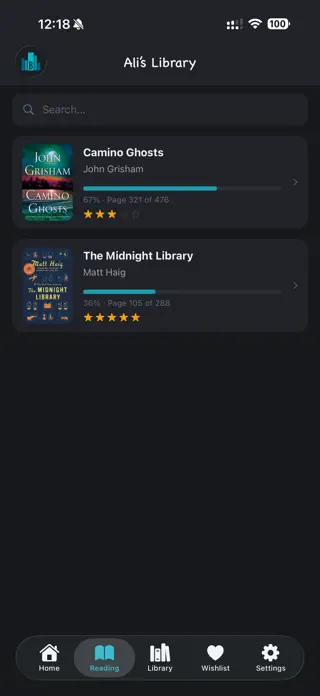
xLibrary library view
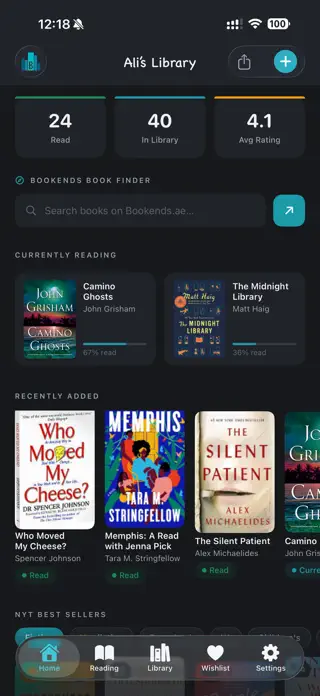
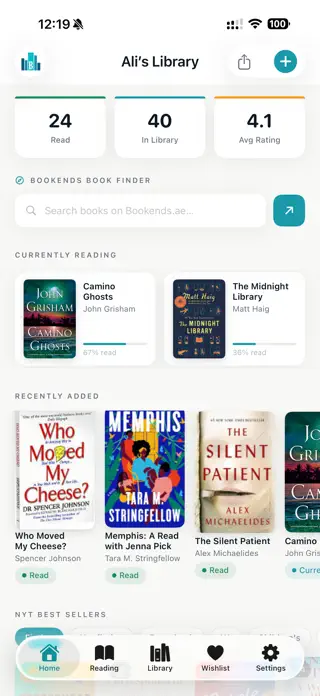
xLibrary home screen
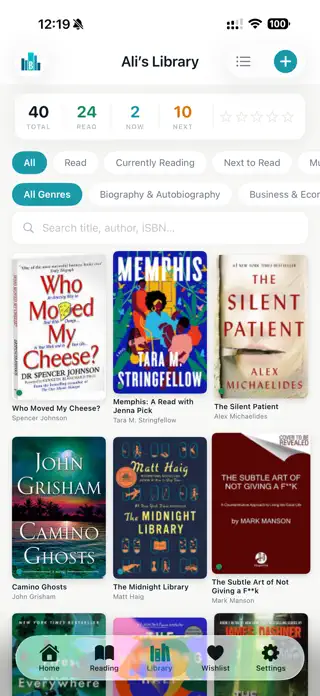
xLibrary grid view
📱 Now available on iPhone, iPad, Mac, Apple Vision, and Android - one library, synced everywhere.
Everything you need

Your entire library, in your pocket

Whether you have 50 books or 5,000 - xLibrary helps you catalogue, track, and rediscover your collection, on whichever device you pick up next.

Scan & Search

Scan any barcode to add a book instantly, or search by title and author. Cover art, synopsis, genres, publisher and page count load automatically.

Track Your Reading

Tag books as Currently Reading, Next to Read, Must Re-Read, Read, or Wishlist. Log your page and watch your progress bar fill up.

Rate & Take Notes

Give every book up to 5 stars and write personal notes - your own private reading journal, always close at hand.

Reading Stats

Total books, pages read, favourite genres, top authors, and a publication-year chart - all your reading at a glance.

NYT Best Sellers

Browse the New York Times Best Sellers lists and add books straight to your library or wishlist with a single tap.

Cloud Backup & Sync

Sign in with just your email - no password needed. Your library syncs across devices automatically and works fully offline too.

Everywhere You Read

xLibrary runs natively on iPhone, iPad, Mac, and Apple Vision, with a dedicated Android app on Google Play - your library stays in sync across every device you own.

See it in action

A beautiful home for your books

Browse, filter, and rediscover your collection in list or grid view.

Home screen
Wishlist
Library list view
Library grid view
Stats screen
Book detail
Compact grid
Getting started

Up and running in seconds

1

Download - it's completely free

Get xLibrary from the App Store or Google Play. No account needed to start - just open and go.

2

Scan or search your first book

Point your camera at any barcode or type a title. Full metadata loads in moments.

3

Track your progress

Mark reading status, log your current page, and rate the book when you're done.

4

Share your wishlist

One tap creates a shareable link anyone can open in any browser - no app required for recipients.

Reading stats screen
Wishlist & Sharing

Share your wishlist in one tap

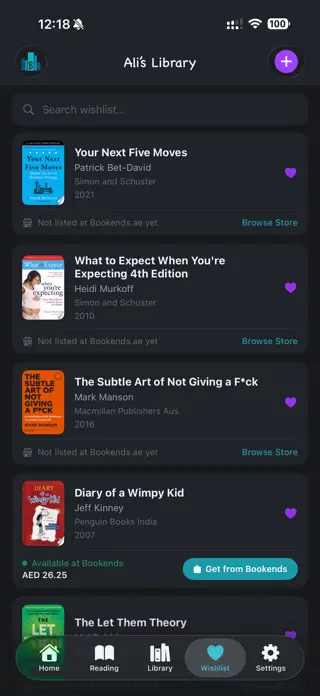
Build a wishlist of books you want next, then share a link with anyone - no app required to view it, no login, no hassle.

  • Generate a shareable wishlist link in one tap
  • Works in any browser - no app required for recipients
  • Smart Amazon links pointing to your local store
  • Share any book with friends, complete with store links
Wishlist screen
Your library, your way

Beautiful cover art, every time

Not happy with the automatic cover? Take a photo of your physical book and use the built-in perspective crop editor to get a perfect shot.

  • Built-in perspective crop editor for physical books
  • Covers saved on-device - loads instantly, works offline
  • List view, 2-column grid, or compact 3-column grid
  • Filter by reading status, genre, or star rating
Grid view screen

🔒 Zero data collected. Ever.

K2 Labs does not collect any data from xLibrary. Your library stays completely yours.

Questions

Frequently asked questions

Everything you need to know about xLibrary, in one place.

Is xLibrary free?

Yes. xLibrary is completely free to download and use. There is no subscription, no in-app purchases, and no hidden costs.

Does xLibrary work offline?

Yes. xLibrary works fully offline from the moment you open it. Book covers are cached on-device. Cloud sync happens automatically when you're back online.

What devices does xLibrary support?

xLibrary runs on iPhone and iPad (iOS 17.6+), Mac (macOS 14.6+, Apple Silicon), Apple Vision (visionOS 1.3+), and Android phones and tablets.

How do I add books to xLibrary?

You can scan any book barcode with your camera or search by title or author. The app automatically fetches cover art, synopsis, genres, publisher, and page count.

Does xLibrary collect my data?

No. K2 Labs FZE collects zero data from xLibrary users. Your library is stored locally and synced only when you opt in with email login.

How does wishlist sharing work in xLibrary?

Tap the share button on your wishlist to generate a public link. Recipients can open it in any browser - they do not need the app installed.

Is xLibrary available on Android?

Yes. xLibrary is free on Google Play for Android phones and tablets, alongside the iPhone, iPad, Mac, and Apple Vision apps.

How many books can I add to xLibrary?

xLibrary supports collections from 50 to 5,000 books.

Ready to organise your home library?

Free to download. Works offline. No subscription, no password, no catch.

Download on the App Store
Get it on Google Play

Free · iPhone, iPad, Mac, Apple Vision & Android